





My Home Lab: Where My Projects Live Before (and After) They Ship
 Written byMohamed Slimani
- CategoryDevOps
- Date
- Reading6 min
Every developer ends up with a few machines doing jobs nobody asked them to do. Mine grew into a real home lab: it runs the demo of every client project I build, my own products, this website, and the tools I use every day. Here is how it is put together, what it taught me, and why I would recommend it to any web developer.
One note before we start: I describe the shape of the setup, not its addresses, names or versions. A home lab write-up should never be a map for someone else.
Why a home lab at all?
- Real deployments, not localhost. A client can open a real HTTPS link and test their project on their phone, weeks before it goes to their own server.
- Learning by running things. Nginx, queues, SSR processes, backups, DNS: you only really understand them when they break at 2 a.m. and you have to fix them.
- Cost. Hosting a dozen small demos and side projects on rented servers adds up. At home, one more app costs almost nothing.
One container for every Laravel site
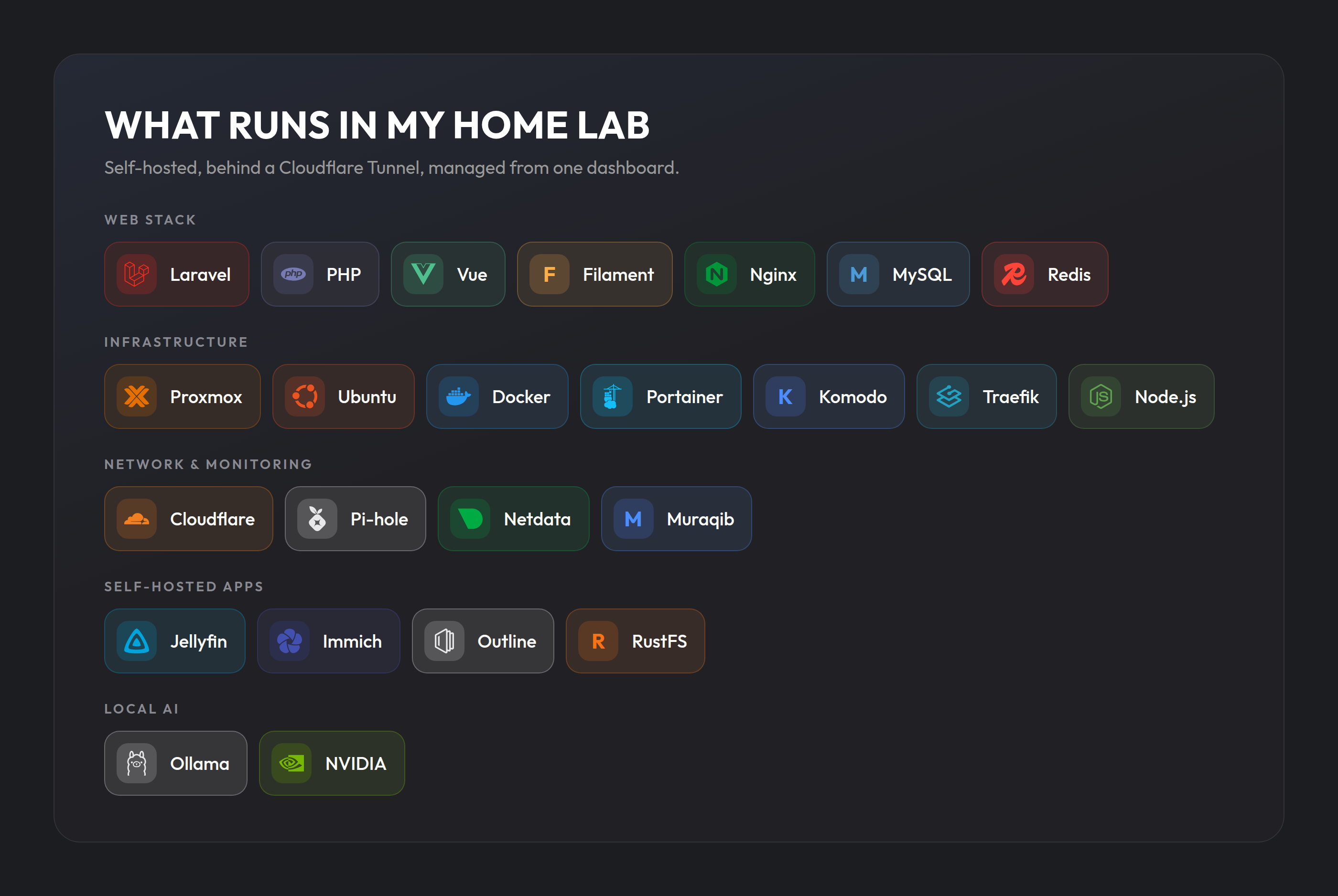
The lab runs on Proxmox, which splits the hardware into light Linux containers and virtual machines. I used to give projects their own machines. Today all my Laravel sites live in one LXC container: one Nginx, one PHP-FPM, one MySQL and one Redis, shared by every app. Each site gets its own database, its own database user, its own Redis databases and its own Nginx server block.
Keeping everything in one place has made life simpler:
- One place to update PHP, one place to watch memory and disk.
- Every project is configured the same way, so a fix I make for one I can copy to the others.
- Moving a demo to a client's server later is a known path, because it is already a "real" deployment.
Background work runs under Supervisor: a queue worker per app and, for the Inertia apps, a server-side rendering process each. Since several apps share the machine, every SSR server gets its own port, which is the kind of detail you only learn when two of them fight over the default one.
Deploying with Deployer
I deploy every project the same way, from my laptop, with Deployer. One command builds a new release next to the old ones, installs dependencies, builds the front end, runs migrations and switches a symlink. If something fails, the live release is untouched.
Two habits have saved me more than once:
- A database backup before every migration, kept automatically, plus a nightly backup on top of it.
- Secrets only on the server. The production
.envis created on the machine and never leaves it. The repository only knows the deploy recipe.
No open ports: everything goes through a tunnel
My home router does not forward a single port to the lab. Public sites reach the internet through a Cloudflare Tunnel: a small agent inside my network opens an outbound connection to Cloudflare, and Cloudflare sends visitors down that connection. There is nothing listening on my public IP for anyone to scan.
This gives me HTTPS, caching and protection in front of every site without exposing my home connection. Tools meant only for me can sit behind Cloudflare Access, which asks who you are before the request ever reaches my network.
Muraqib: the dashboard I built to run it
Managing tunnel routes, DNS records, containers and monitoring in five different portals got old fast, so I built Muraqib ("the observer" in Arabic), an open-source dashboard with Laravel and Filament. It brings together:
- Cloudflare Zero Trust: tunnels, ingress rules, Access applications and policies.
- Server health from Netdata: CPU, memory, disk and network.
- Docker stacks and containers, with update checks against the registries.
- My repositories: CI status, issues, pull requests and releases.
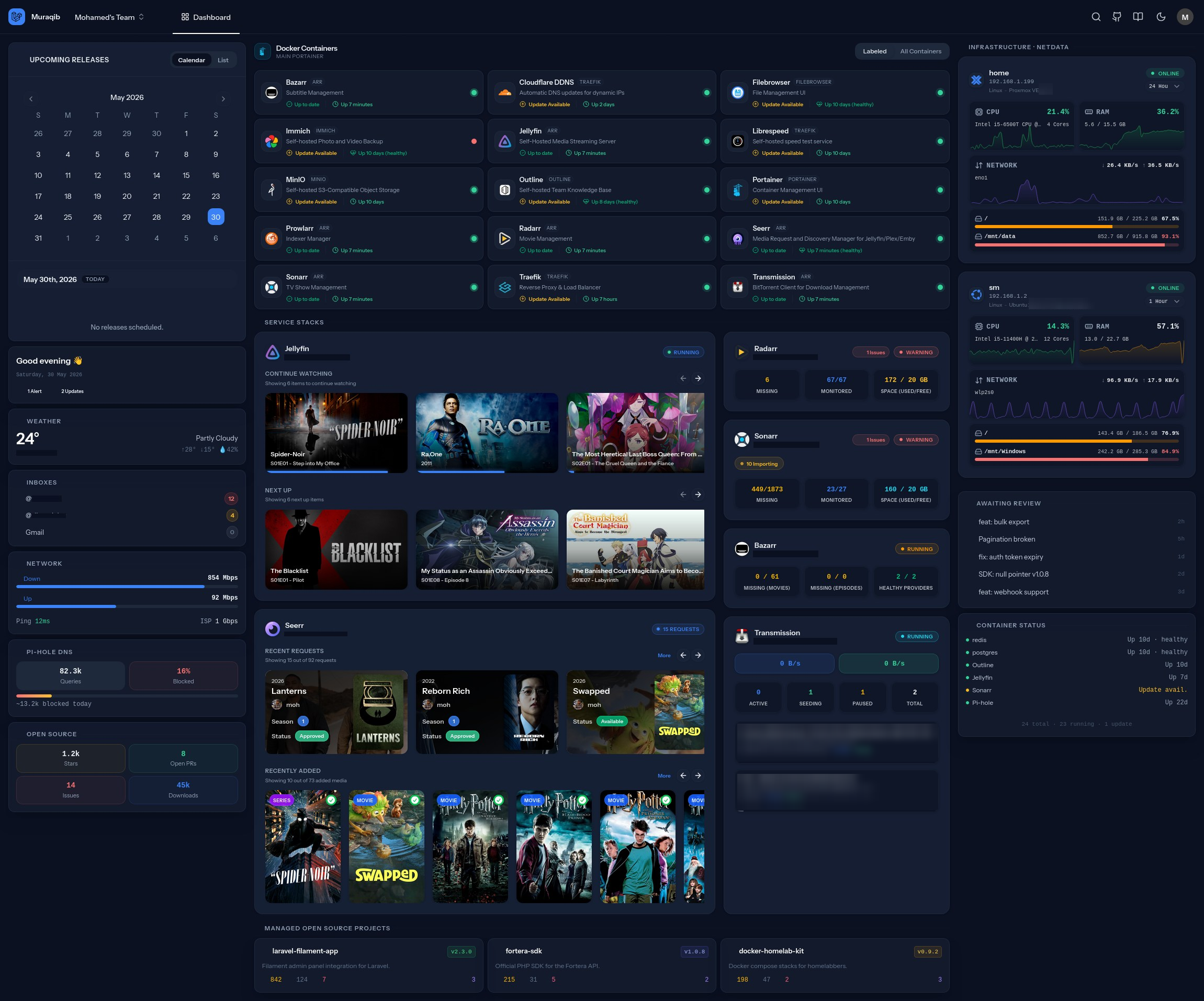
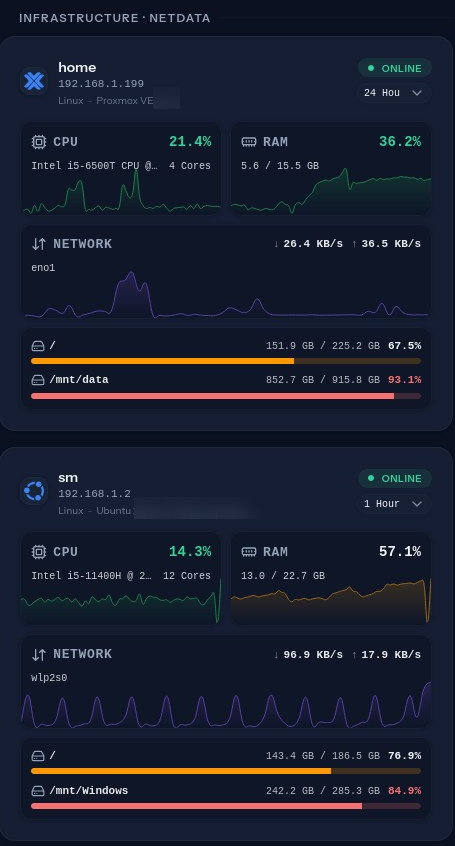
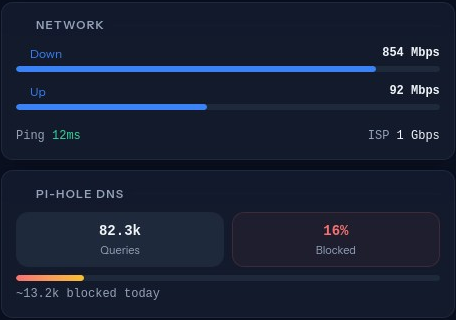
When I publish a new site, Muraqib adds the tunnel route and the DNS record in one step. Building the tool I needed taught me more about these APIs than any tutorial.
Docker for everything that is not Laravel
Services that are not my own apps run in Docker, managed with Komodo and Portainer:
- Self-hosted S3 storage with RustFS, so my apps use the same S3 code at home as they would in the cloud.
- A media server, because a home lab should also be fun.
- Immich for photo backups and Outline as a private knowledge base.
- Pi-hole as the network's DNS, blocking ads and trackers for every device.
- Small helper services my projects need.
A local AI model
An older workstation GPU (an NVIDIA Quadro P4000) runs Ollama with a local language model. I use it for small text jobs: summarising, rewriting, translating and classifying. It is not as smart as the big hosted models, but it is private, free to run, and perfect for tasks where the data should never leave the house.
What the lab taught me
- Most "server problems" are network problems. When pushing to GitHub suddenly hangs, the first fix is restarting the modem, not changing SSH keys or DNS. Measure before you change anything.
- Memory leaks hide until production. A long-running process that grows a little on every request looks fine in development and falls over after a few hours of real traffic. Watch memory over time, not just once.
- Write things down. Every fix I note once is a fix I do not have to rediscover later.
- Security is about what you do not expose. No open ports, separate database users, secrets that stay on the server, and admin tools behind an access layer.
Should you build one?
If you build web applications, yes. Start small: one container, one app, one tunnel. You will understand your own deployments far better, you will have real links to show clients, and the next time a production server misbehaves, you will have already seen something like it at home.
If you want help setting up something similar for your team, or deploying your Laravel application properly, get in touch.
Tags :
- Home lab
- Self-hosting
- Laravel
- Cloudflare
- Docker
- DevOps