DHD Warehouse
Overview
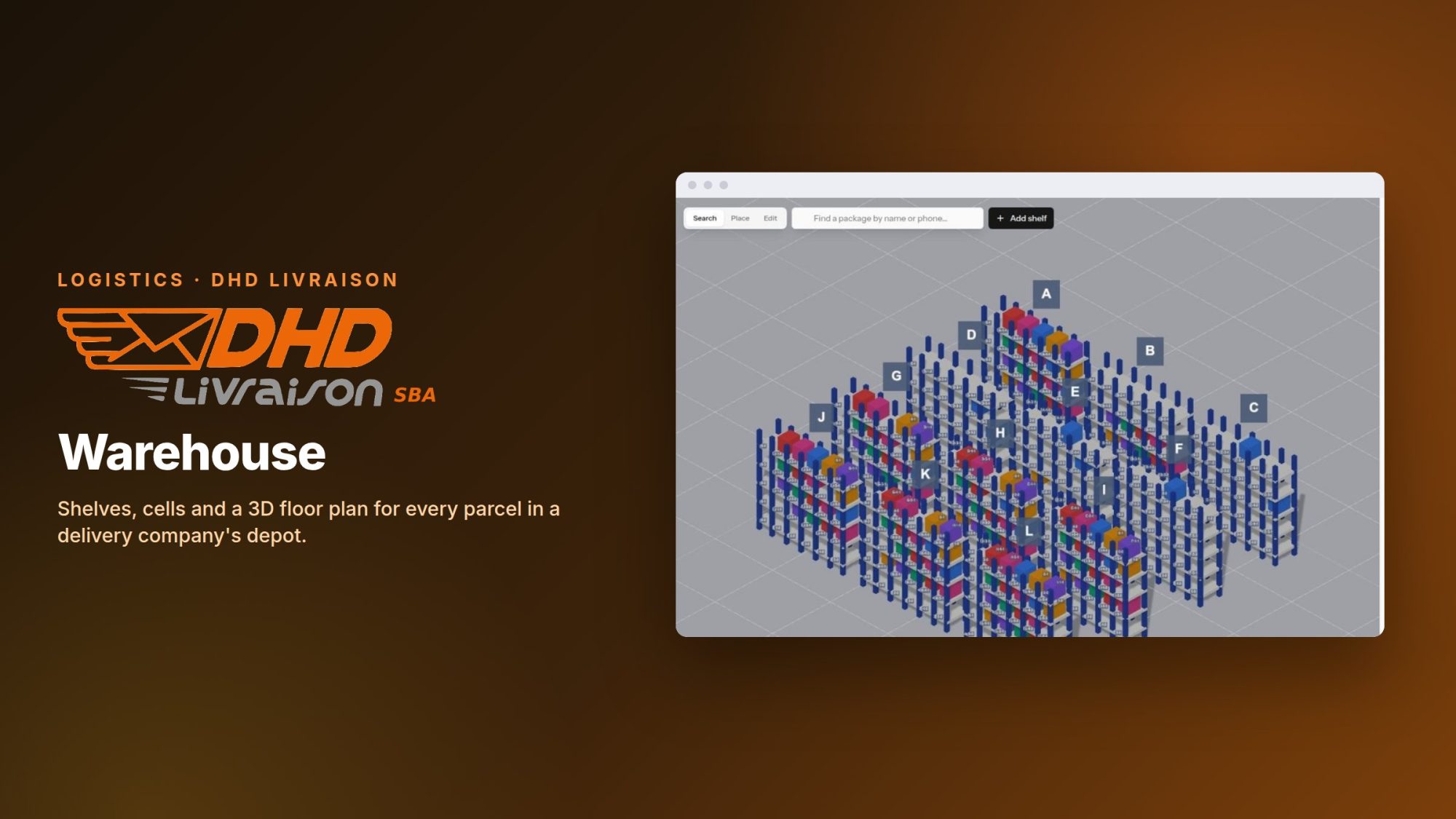
A warehouse map and scanning system for a delivery company: shelves, cells, boxes and parcels, with a printed label for every location.
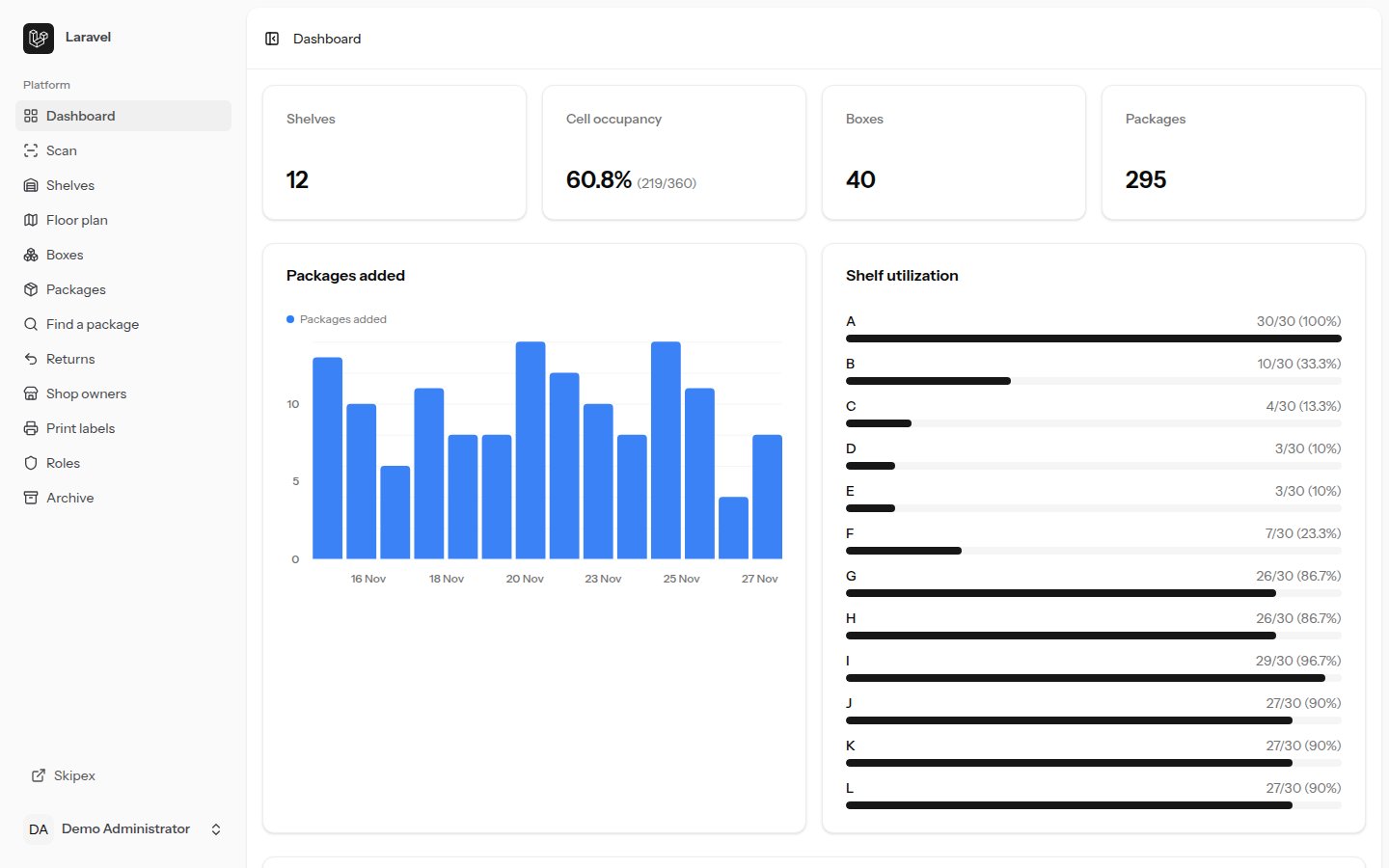
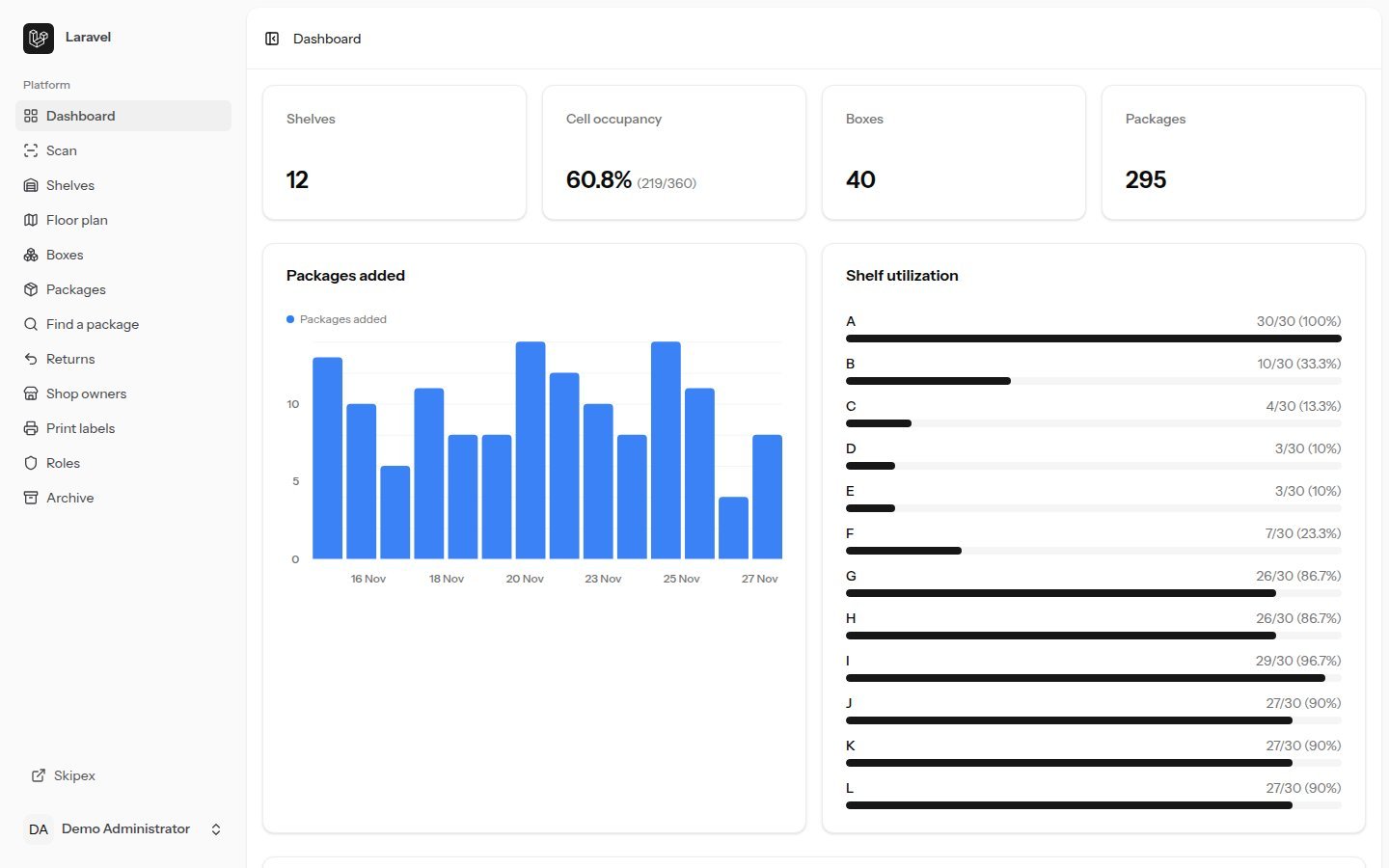
DHD Warehouse is the building side of a delivery company's operation: a map of its shelves and cells, a scan flow that places parcels and boxes, and a counter screen that answers where a parcel is. It is used by warehouse operators, the people scanning at the racks and the support desk that takes customer calls. I built it alone and it is the most active part of the company's internal tools.
The problem
A delivery warehouse fills up faster than anyone can document it. Parcels arrive from several merchants, some in boxes, some loose, some already carrying a tracking number from a subcontractor and an older number underneath. Staff put them somewhere sensible and remember it, until the shift changes or the shelf is reorganised. Then a customer calls with a tracking number, the support desk asks the floor, and someone walks the aisles looking at labels. The same parcel can be noted in two places, promised to two drivers, or marked as returned while it is still on a shelf. A spreadsheet cannot represent a shelf with uneven rows, a box that sits inside a cell, or a parcel that moves three times before it leaves. The warehouse needed a map that matches the building, a scan that records every move, and a lookup that does not depend on memory.
The solution
A model of the warehouse as it is: shelves with their own rows, columns, widths, heights and gaps, cells inside them, boxes inside cells, and parcels either directly in a cell or inside a box. A scan flow lets an operator scan a parcel, a box or a cell, and the app works out which it is before placing it. Every position change goes through one service and writes an append-only event with the person, the previous location and the new one. The counter can then search by any of the numbers printed on a parcel, see the current position and the route it took, and the label pipeline prints codes that still resolve months later.
Goals
Make the map match the building: uneven shelves, boxes and merchant zones should be representable without forcing the warehouse into a spreadsheet grid.
One parcel, one place: no parcel should be in two cells, two boxes or two statuses, and every move should be attributable to a person.
Answer the counter quickly: any printed reference should find the parcel, its position and its history from one screen.
What I built
Mapping the building
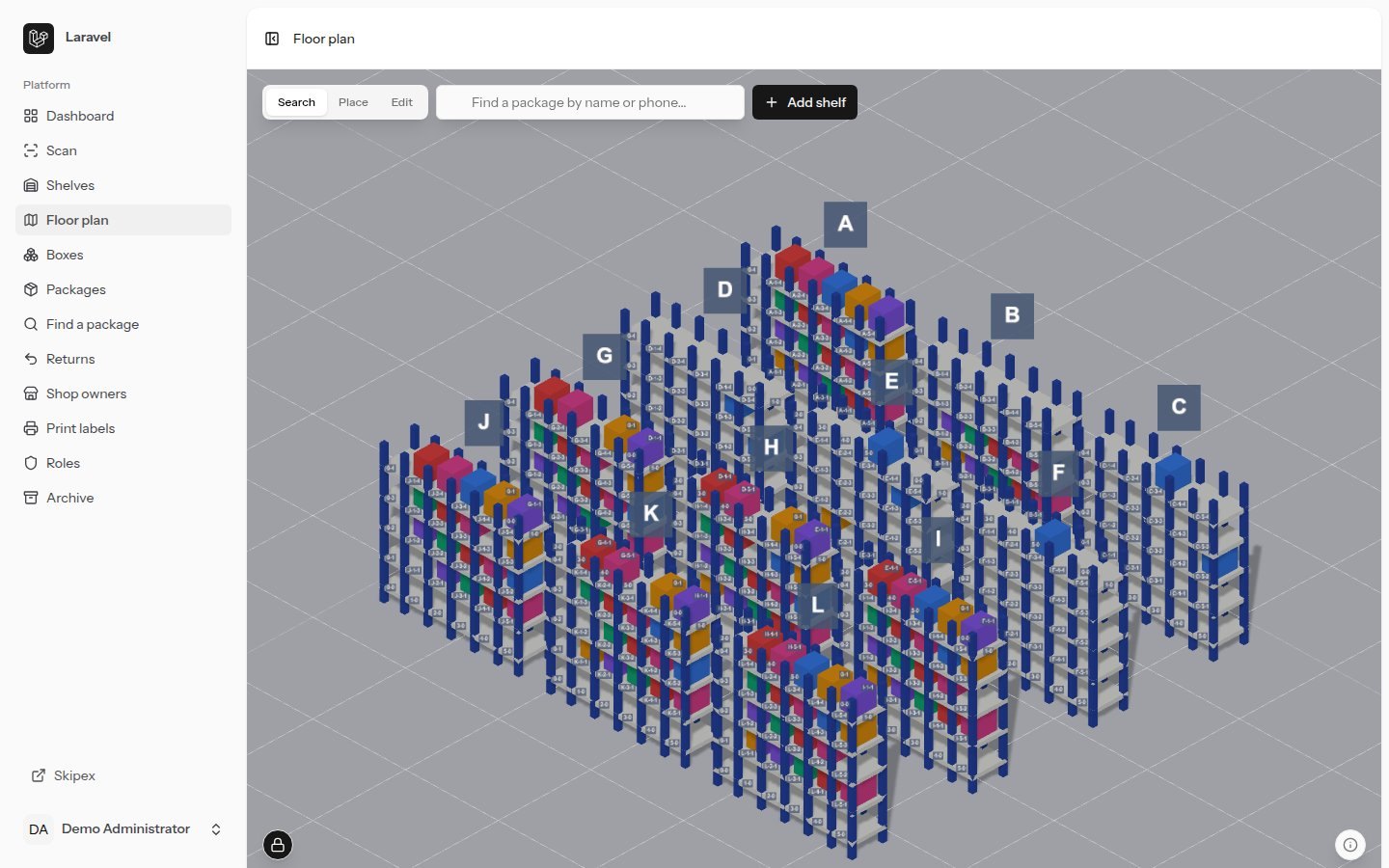
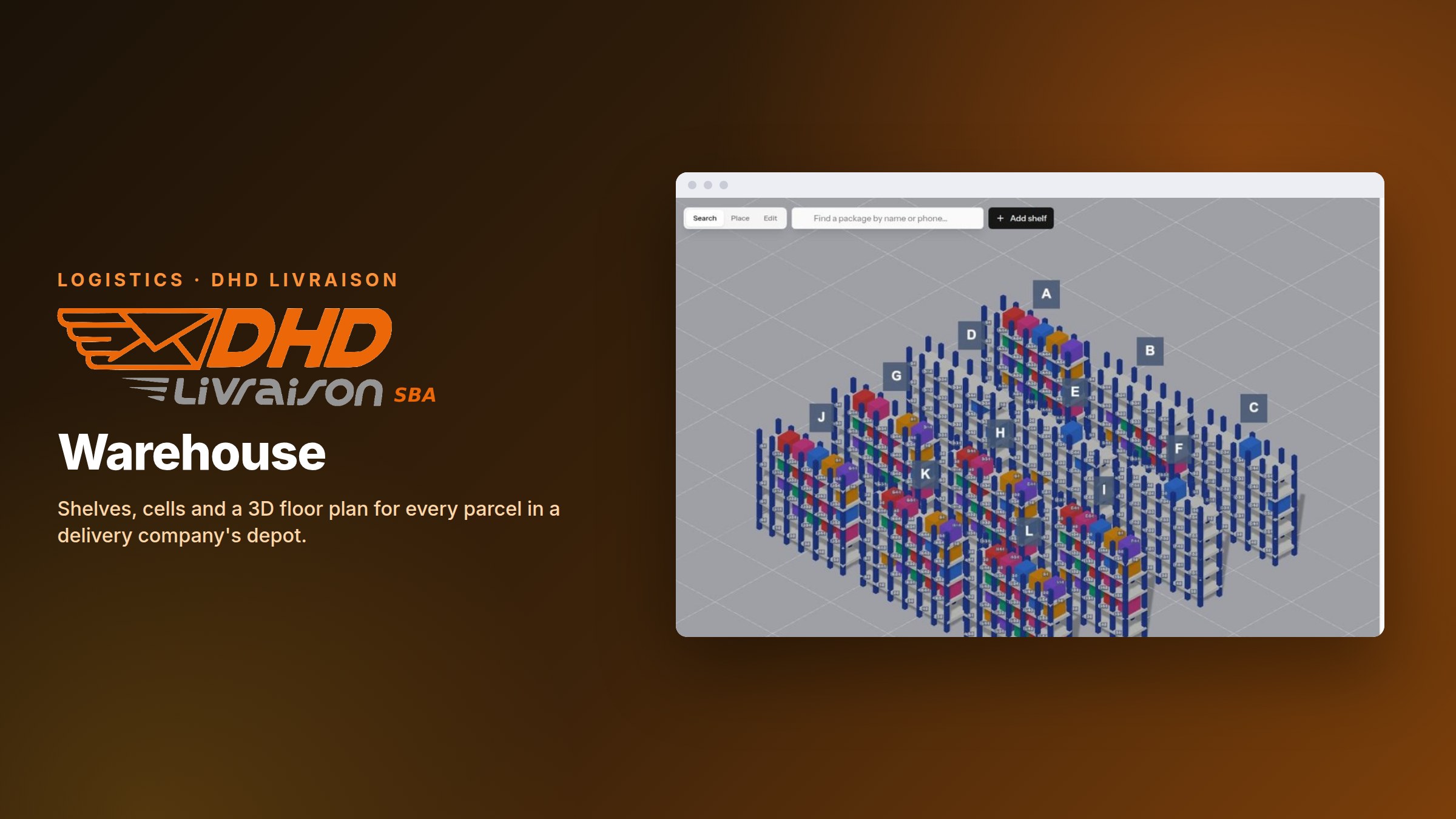
Shelves with a real shape: each shelf stores its rows and columns plus per-row heights, per-column widths, gaps and depth, so a shelf with a tall bottom row is drawn as it is rather than averaged into a grid.
A floor plan you can arrange: shelves are dragged into position on a 3D plan, and their coordinates are saved, so the map is a working representation of the building rather than a sketch that goes stale.
Cells and their contents: a cell is unique per shelf, row and column, and its contents are queryable, which is what makes "what is in this cell" a read instead of a walk.
Clearing and reorganising: a shelf can be cleared in one action, returning its contents to unplaced, and a shelf that still holds stock cannot be deleted by accident.
Placing and moving parcels
Scan anything: the app resolves a scanned code to a parcel, a box or a cell and presents it in a way the operator can act on, so the screen does not need to know the type before the scan.
Place, assign, undo: placing a parcel in a cell or a box is one action, and the last move can be reversed when a scan was wrong, without editing records by hand.
One writer for positions: every move goes through a single service that records the previous location, moves the record, clears any other position and writes the event. That is the invariant that prevents a parcel from living in two shelves.
Boxes and merchant zones: parcels can be grouped in a box for one merchant, and a merchant can be assigned its own cells, so a regular drop-off has a home without becoming a separate warehouse.
Finding and explaining
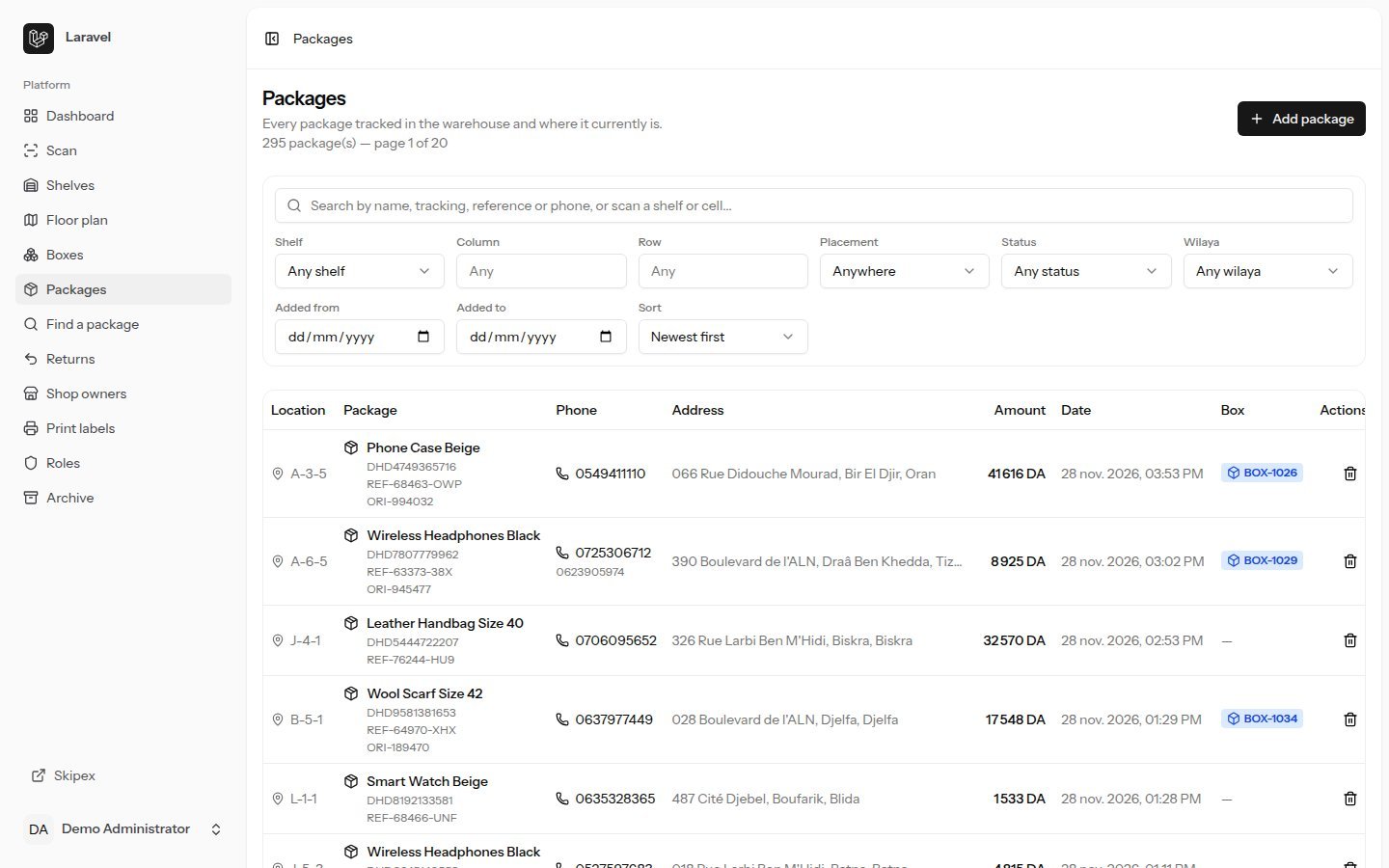
Three references, one parcel: a parcel stores the delivery company's number, a subcontractor's number and the number it replaced, because any of the three may be the one printed on the label or read over the phone.
A counter lookup with context: the current cell, the box and the route the parcel took are on one screen, and the lookup is recorded with the ticket, desk and account that asked, which settles disputes.
An append-only history: each move keeps who did it, from where, to where and when. The current position is a join; the explanation is a read of the events, not a reconstruction from notes.
Returns and archiving: returned parcels get their own view and status, and old parcels leave the working list after a set number of days instead of being deleted, so the table does not grow forever.
Labels and codes
A label designer: shelf, cell, box and parcel labels are composed in a designer with preview data, so a new label size does not require a new template in code.
Barcodes rendered on the server: codes are generated as vector images and laid out on a sheet, then converted to PDF at exact millimetres, which keeps the same label identical across browsers and printers.
Codes that survive a reprint: shelf and cell codes share one encoder, and the printed code is obfuscated so it does not read as a shelf address while remaining reversible. A label printed last month still resolves.
Sheets, not one label at a time: a sheet builder groups labels for a run, which is how a warehouse actually prints when a new shelf or a batch of boxes is introduced.
Import and access
A conservative import: parcels are looked up locally first, and the delivery company's catalogue is read only when a parcel is genuinely missing, one page at a time with a deliberate pause, so the counter stays fast and the API is not hammered.
Adopt instead of duplicate: when the catalogue later returns a parcel that was already scanned onto a shelf as a placeholder, the existing record is adopted rather than creating a second one.
Presence tracking: a run table and a per-parcel presence table record what the catalogue has seen and when, so a sync can diff instead of importing everything again.
Permissions by verb: viewing is open to any signed-in role, while managing shelves, inventory, scanning and printing are separate permissions, which matches how warehouse staff are hired and rotated.
Architecture
Laravel 13 with Vue 3 and Inertia, a 3D floor plan drawn in Three.js in the browser, MySQL for data, Tailwind for the interface, and Pest for the domain tests, with static analysis enforced. The important design is that the application stores only the current position on the parcel or box, while every move is an append-only event with an actor and a from/to pair; one placement service is the only writer, so the invariant lives in one place. Scanning is three small endpoints: resolve what was scanned, assign the placement, undo the last move. Labels are built as HTML with server-side barcode images and rendered to PDF at real dimensions, and the importer keeps a presence table so a sync only reads what changed. Built in 2026 (35 commits).
Result
In production and still being extended. Operators place parcels by scanning rather than writing them down, the support desk answers location questions from the same screen, and labels print at the size they were designed for. The warehouse map is now the shared reference.
Screens are from a demo copy with sample data.
Interactive preview
Scroll inside the browser window — every page is a real screenshot of the app.