
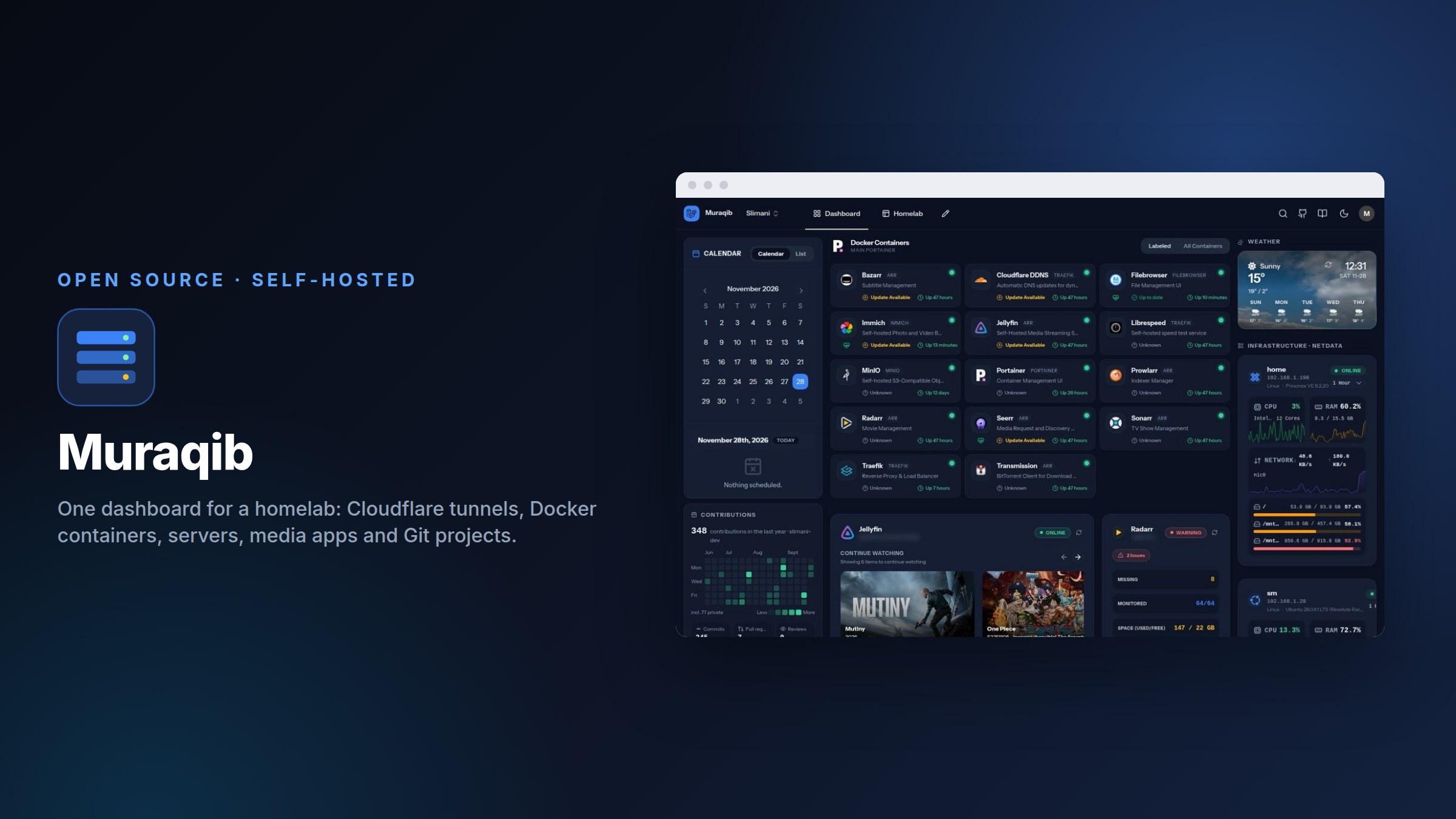
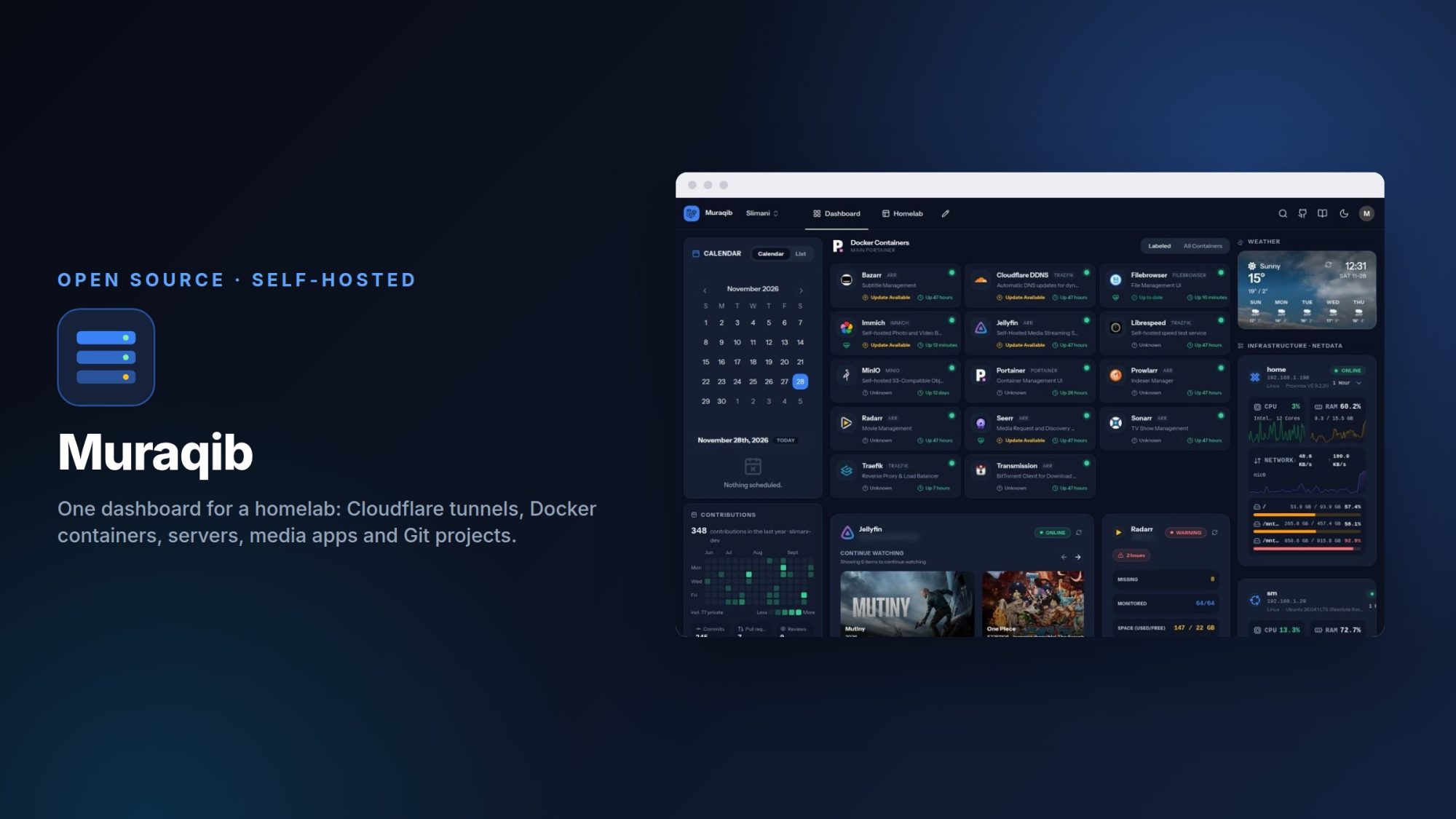
Muraqib
Overview
A self-hosted dashboard that brings a homelab's tunnels, containers, monitoring, media apps and git activity onto pages the owner arranges.
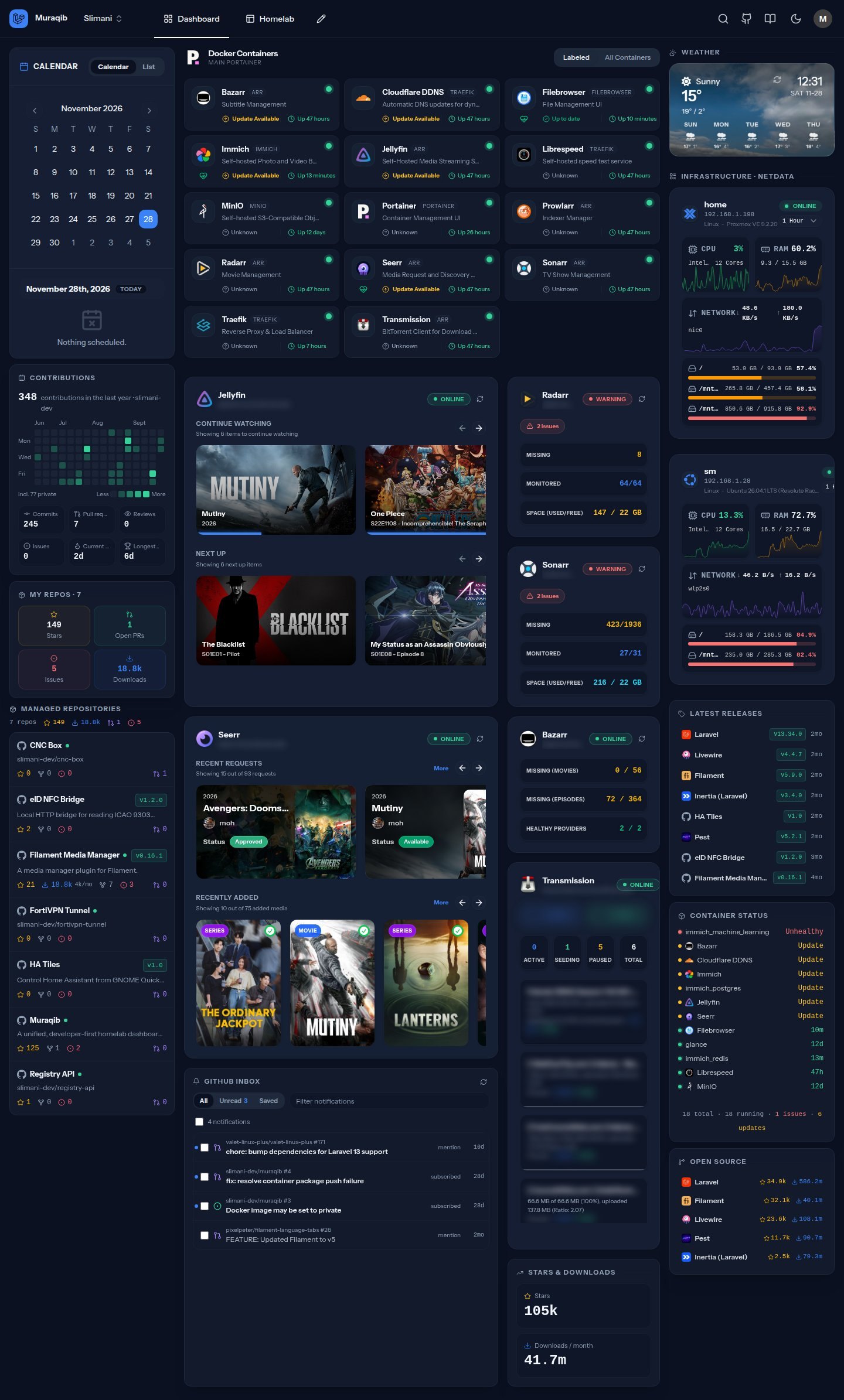
Muraqib is a self-hosted dashboard for a homelab or a small cloud, released as an MIT-licensed open-source project with a Docker image. It puts Cloudflare tunnels, Portainer containers, server monitoring, the media stack and git activity on pages the owner arranges. I designed and built the whole product: the integrations, the dashboard engine, the packaging, the documentation and the releases.
The problem
A homelab starts small. A media server for the family, a couple of containers on a small server, a Cloudflare tunnel so the outside world can reach them, and a monitoring agent because one day a disk filled up. Then the pile grows. Each service has its own console, its own login, its own way of showing whether it is healthy. The tunnel rules live in one tab, the containers in another, the graphs in a third, and the media apps each have a different idea of what "recent activity" means. Checking that everything is fine becomes a tour of six dashboards, and the owner is the only person who knows the route. Sharing that with a partner or a friend means handing over five sets of credentials, or giving up and doing it yourself at midnight. The tools that exist are either too heavy for a home setup, built around a single vendor, or they stop at uptime checks and never show the things a homelab actually runs.
The solution
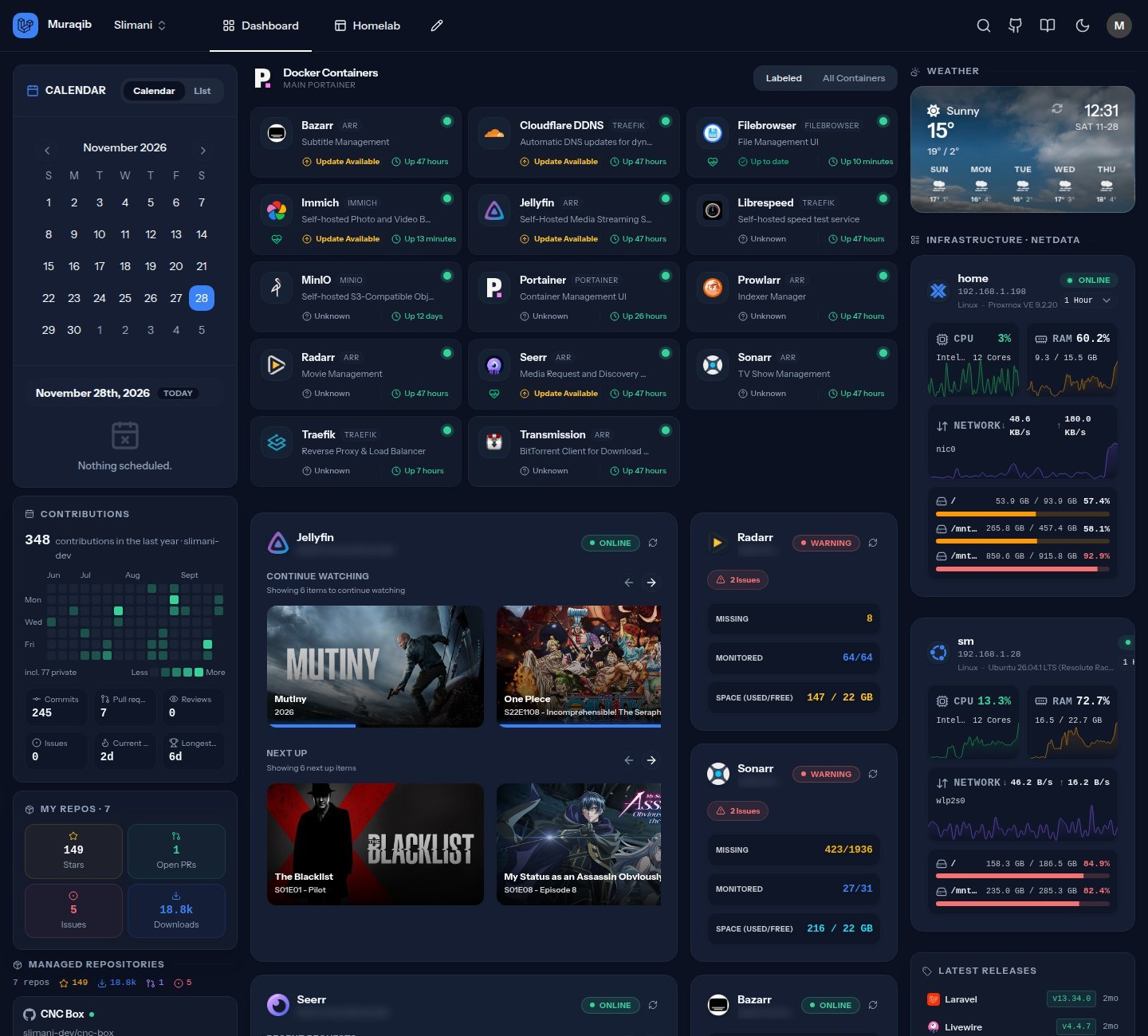
One application that connects to the services already in place and shows them on a dashboard the owner composes. Widgets are placed in columns, sized to the space they get, and saved per page, so a media page and an operations page can coexist without one becoming a compromise. Credentials for every integration are encrypted in the database, and each service has one client with an adapter per provider, which is what lets six git hosts and six media apps share the same screen. It ships as a compose stack with the app, a queue worker, a scheduler and a server-side renderer, so a first boot ends with a working dashboard rather than a setup checklist.
Goals
One pane of glass: tunnels, containers, monitoring, media and code on pages the owner arranges, without rebuilding the dashboard for every new service.
Safe with real credentials: tokens encrypted at rest, team roles that separate viewing from managing, and no secret ever sent to the browser.
Installable by a person, not a platform team: one image, one compose file, health-checked processes and a first-run admin, so the setup is repeatable.
What I built
Dashboards and teams
Pages you arrange: several dashboards per team, opened as tabs, with widgets placed in left, middle and right zones. Each widget knows how to render at one, two or three columns, so a narrow screen still reads well.
A shared widget catalogue: the server defines which widget ids exist, the front end renders them, and a test keeps the two lists equal. Adding a widget is a component, not a new route.
Layout as data: a page stores its layout as a row, and the controller asks only for the widgets that layout references. That is why one route can serve any number of pages without loading everything.
Teams and roles: a personal team is created on first visit, invitations carry a role and an expiry, and permissions separate managing integrations from viewing the dashboard.
Cloudflare and the edge
Tunnels and routing: accounts, tunnels and their ingress rules, with the protocol, host and port parsed from each rule so the UI can show a readable destination.
Access applications and policies: the Zero Trust side is modelled properly, including applications, policies and service tokens, not just a link to the Cloudflare dashboard.
DNS and domains: zones and records are visible and synced, so a tunnel that points at nothing is obvious before a user finds it.
Credentials that stay encrypted: account tokens, tunnel tokens and service-token secrets use encrypted casts, so a database dump alone cannot call the provider.
Containers and stacks
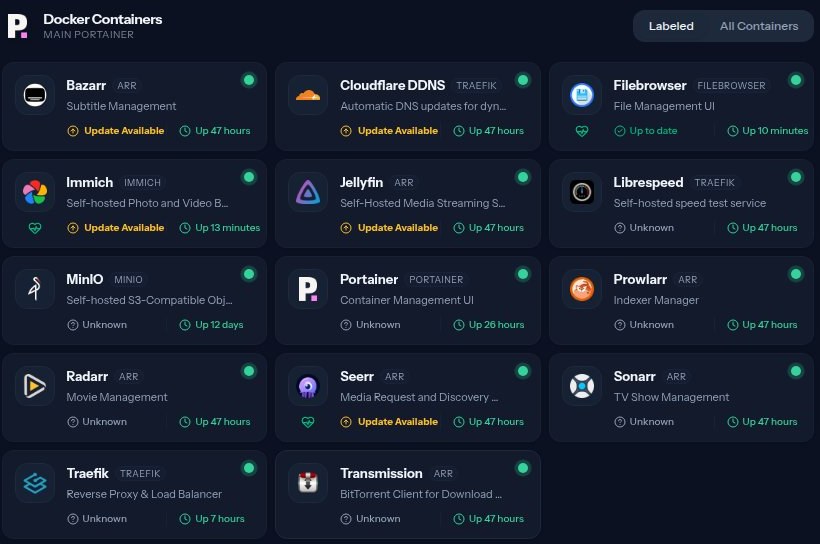
What runs where: Portainer endpoints, stacks and containers, with start, stop, restart and a redeploy that goes through a queued job instead of blocking a page.
Update checks: a small companion service answers whether a newer image exists for a container, so the PHP app never parses registry manifests itself.
Status at a glance: a container widget shows the state of the stack, and the registry check adds a badge when an update is waiting.
Failure isolation: a slow or unreachable endpoint degrades one widget, not the whole dashboard, because each integration is called through its own boundary.
Monitoring and media
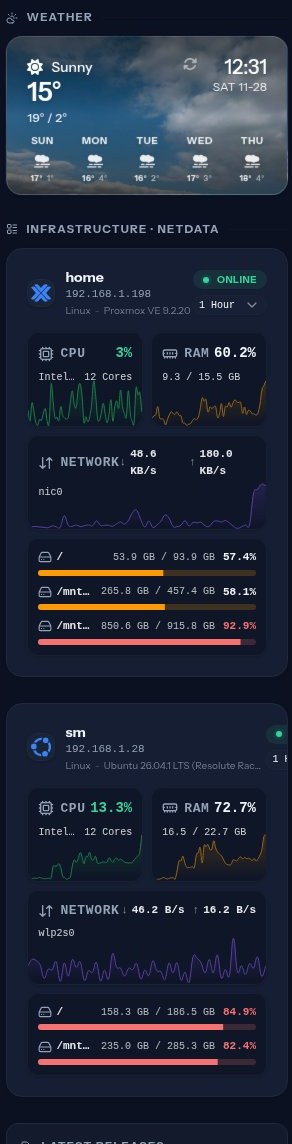
Server health: CPU, memory, disk and network charts from each monitored server, laid out for the space the widget is given.
A latency probe: a saved probe measures response time, so a link that is getting slower is visible before it becomes an outage.
The media stack: one model for six service types, with an adapter per app for status and recent activity, and support for several services of the same type.
Media credentials: API keys and passwords for those services are encrypted at rest, like every other integration secret.
Code, probes and operations
Six git providers: GitHub, GitLab, Gitea, Forgejo, Codeberg and Bitbucket share one interface, with repositories, stats, package downloads and a contributions calendar.
A GitHub inbox: pull requests, issues, releases and build status appear as widgets, so review work is visible without opening the host.
Saved API probes: a request can be saved with its history, which turns "is this endpoint up" into a small monitor of its own.
Weather and appearance: a cached forecast and a settings area for the dashboard's look, kept small so the product does not turn into a homepage.
Architecture
Laravel 13 with Filament 5 for administration, Vue 3 and TypeScript through Inertia with server-side rendering, MariaDB 11 for data and Redis 7 for cache, queue and sessions, all shipped as a Docker stack with four processes and health checks. The dashboard is layout-driven: the page row holds JSON, the controller assembles only the referenced widgets, and a tested PHP and TypeScript catalogue keeps both sides in agreement. Each external system has a service client and an adapter per provider, credentials use encrypted casts, and syncs for repositories and tunnels run on the queue. A small Go service handles container registry checks, which keeps OCI authentication and manifest quirks out of PHP. Built in 2026 and released as open source.
Result
Published as a public beta under the MIT licence, with a container image and a compose stack that goes from an empty machine to a running dashboard. It is used to keep a homelab's tunnels, containers, media services and repositories on one screen, and the documentation is written for the next person who has to install it. The repository has passed 120 stars on GitHub.
Screenshots are from my own installation; addresses, location and torrent activity are blurred.
Interactive preview
Scroll inside the browser window — every page is a real screenshot of the app.